In the busy business world of the United Arab Emirates (UAE), knowing why your Tax Registration Number (TRN) is essential. This special 15-digit code, given by the Federal Tax Authority, is like your tax ID. The TRN verification and ensuring its authenticity are significant for companies and businesses in the UAE.
The Essence of TRN in Dubai:
The TRN, often referred to as a VAT ID number in some global contexts, plays a pivotal role in Dubai’s tax ecosystem. Every individual or business registered for Value Added Tax (VAT) in this nation is assigned a TRN. This number is more than just an administrative requirement; it is the gateway to legal tax compliance.
TRN in Dubai is not just a set of numbers; it’s a cornerstone of the taxation system that ensures businesses operate legally and transparently. Getting and keeping a Tax Registration Number isn’t only about following the law; it shows you’re trustworthy and serious about following tax rules.
How to Verify Your TRN in the UAE – Process
Checking your TRN is easy, and it’s really important for your business to follow tax rules. The following are the steps for TRN verification in UAE:
1. Quick Visual Verification
Before going online for TRN verification in Dubai, perform a visual check. A genuine TRN always follows a consistent 15-digit format: 100-XXXX-XXXX-XXXX. Stay alert if you see any differences, like:
- Fewer than 15 digits
- Failure to start with 100
- Incorrect formatting
2. Online TRN Verification
- Visit the official Federal Tax Authority (FTA) website for TRN verification in the UAE.
- Locate the dedicated TRN option as shown in the image below:
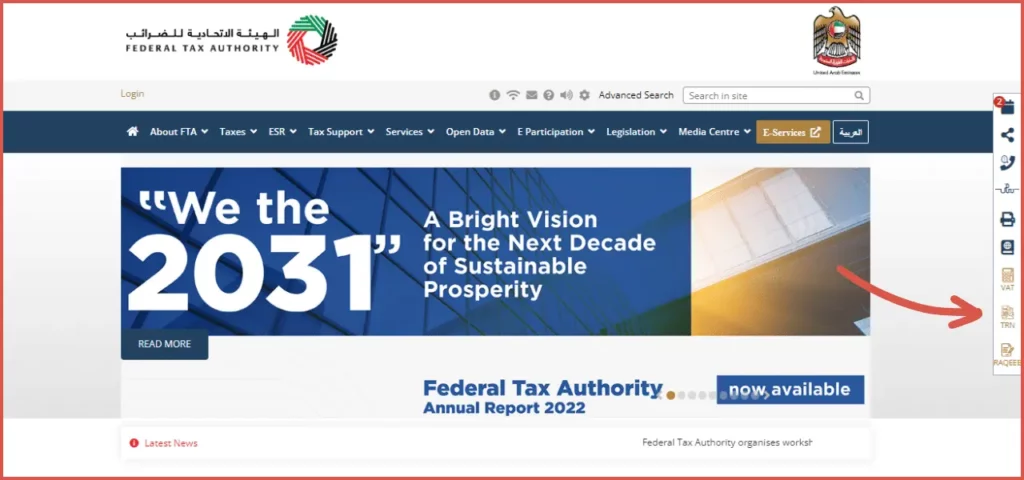
- Type your TRN from your payment receipt, invoice, or business papers into the special box as in the image below:
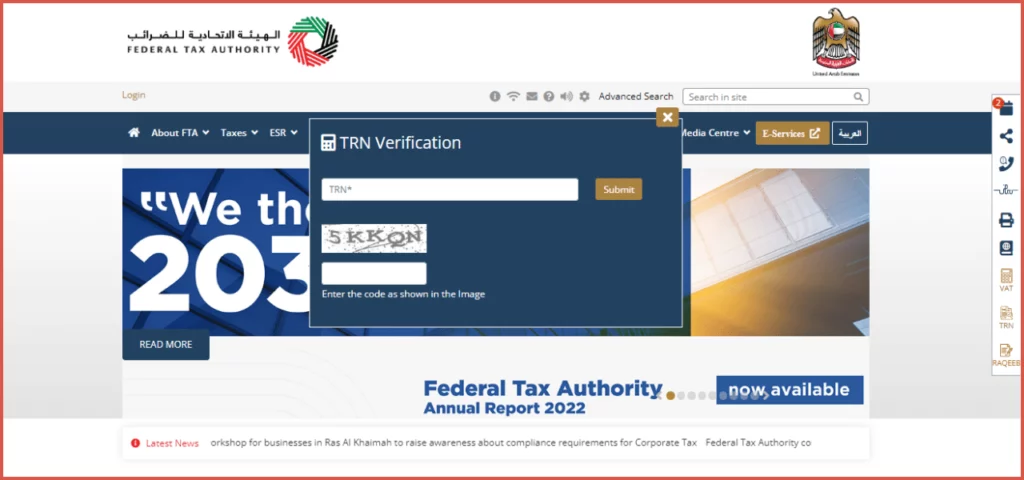
- Input the provided security code or captcha accurately.
- Click “Submit.”
The website will check if the TRN you typed matches what’s in its database. If a match with a legitimate registrant is found, it will display “TRN is Available in the System,” along with the company’s legal name in both Arabic and English. If there’s no match, you’ll see a message that says, “TRN is not found in the system“.
This process ensures you deal with a reputable, VAT-compliant entity, safeguarding your business interests. The same process and steps are to be followed for TRN verification in Dubai.
What To Do If Tax Registration Number is Fake?
If you come across a fake TRN, you can report it to the authorities using these contact options:
VAT Helpline Phone: 600 599 994
VAT Complaint Email: [email protected]
Importance of TRN Verification in UAE
When a company operates in the UAE, it must pay taxes, with the TRN (Tax Registration Number) being the key identifier for financial transactions. Businesses registered for VAT include the 5% tax in their prices, ultimately borne by customers. This VAT money is sent to the government.
However, if a business doesn’t comply with the Federal Tax Authority (FTA) rules, it lacks a unique TRN for tracking its finances, rendering it unable to collect VAT. In some cases, non-compliant businesses may exploit fake TRNs to charge customers VAT without remitting it to the government.
Unregistered businesses lacking an FTA-recognized TRN cannot apply value-added tax to their prices. Nonetheless, some businesses illicitly use false TRNs to levy VAT on customers, escaping tax obligations and retaining the collected amount.
Benefits of Having a Tax Manager For TRN Verification – Your CTA
The FTA TRN Verification Tool is publicly accessible and confirms only whether a Tax Registration Number is valid. It does not display confidential taxpayer information, company financial records, VAT returns, payment history, or administrative penalties.
1. Access to FTA Connections
FTA-registered Tax Agents can assist clients with VAT registration, compliance, return filing, and tax matters through the EmaraTax portal when they are authorized by their clients. However, they do not have special or exclusive access beyond their clients’ authorized accounts.
2. Streamlined VAT Registration
A tax consultant simplifies the VAT registration process for qualifying businesses, ensuring smooth compliance.
3. Timely TRN Acquisition
TRN processing can sometimes be delayed during VAT registration. A tax manager can expedite this, minimizing complications.
4. Expert Assistance in Verification
Tax advisors and administrators can provide valuable assistance in the TRN verification process, ensuring proper VAT reporting.
5. De-Registration Support
The process of de-registering a TRN can be intricate. With the guidance of a tax manager, this process can be streamlined for quicker results.
How We Help You?
With the introduction of Value Added Tax (VAT), businesses often have tax-related questions. It’s a smart move for companies not only to register for VAT but also to seek advice from experts to avoid potential problems. The TRN and VAT registration and verification processes have changed, making it a good idea to consult with professionals for a smoother experience.
If you’re in need of consulting services, NOW Consultant is here to assist you. Beyond aiding in VAT registration, we offer various services, including audits and tax guidance. Don’t hesitate to contact us to discover more about our services – we’re here to make things easier for you.
FAQs
Where Can I Find My TRN Number In Dubai?
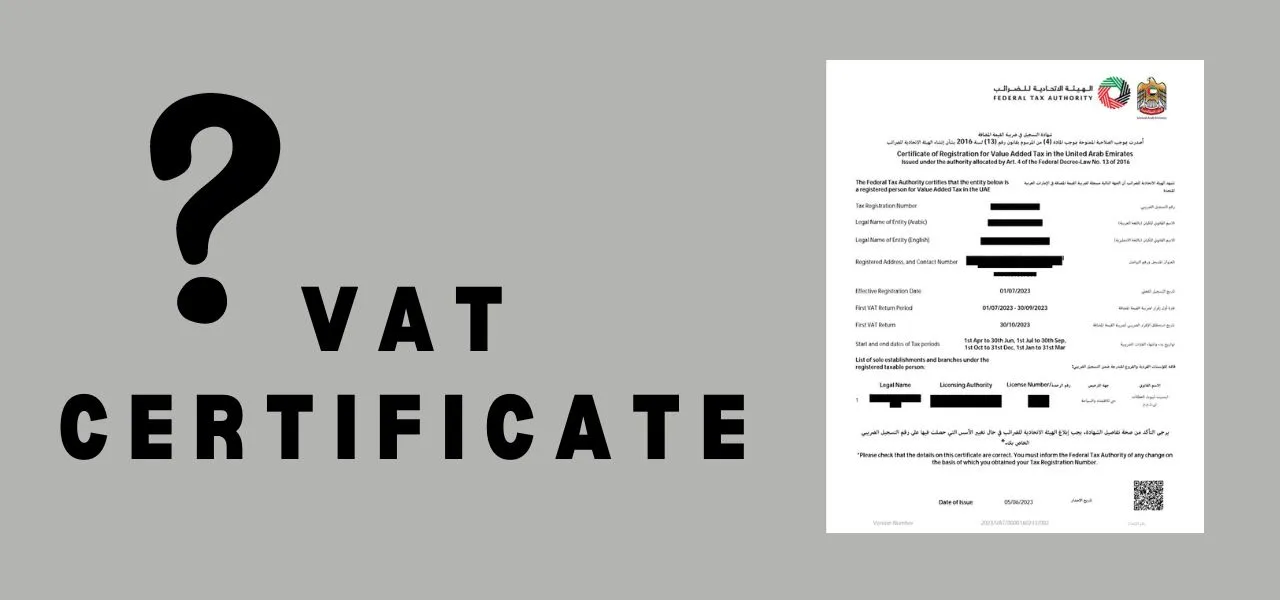
Your VAT TRN can be found on your VAT Registration Certificate, your EmaraTax account, and on VAT tax invoices issued by your business. These are the primary official sources for obtaining your Tax Registration Number.
How Can I Check My TRN Number Using My License?
A trade licence number cannot be used on the FTA website to directly retrieve a TRN. The Tax Registration Number (TRN) is available on the company’s VAT Registration Certificate and within its EmaraTax account after logging in. The trade licence and the corresponding TRN are linked within the company’s FTA profile.
How Do I Check For VAT Fines Using My TRN Number?
VAT fines and administrative penalties cannot be viewed through the public TRN Verification Tool. They are only available to the registered business after logging into its EmaraTax account. Within the company profile, the Payment section displays all outstanding penalties, notices, and payment history issued by the Federal Tax Authority (FTA).
Where Are VAT Penalties Displayed?
VAT penalties are displayed only within the registered taxpayer’s EmaraTax account. After logging in, businesses can view penalties under the Payment section, where the FTA provides details in both PDF and Excel formats. This information is not available through the public TRN Verification Tool.